Is your paycheck correct?
Track shifts, see regular and overtime pay before taxes, and catch the difference before payday. Built for U.S. hourly workers — without an account or a daily logging habit.
No account. Your pay data stays on your iPhone. Coming soon to the U.S. App Store.
From shifts to a paycheck.
Paycheck Correct is not a punch clock. It is a weekly pay estimate and a paycheck check, built around the rules hourly workers actually deal with: overtime, tips, two jobs, and pay periods that do not line up with workweeks.
Add a shift
Enter start, end, and unpaid break. Use a regular week to prefill repeated shifts, or copy the last one.
Set your pay rules
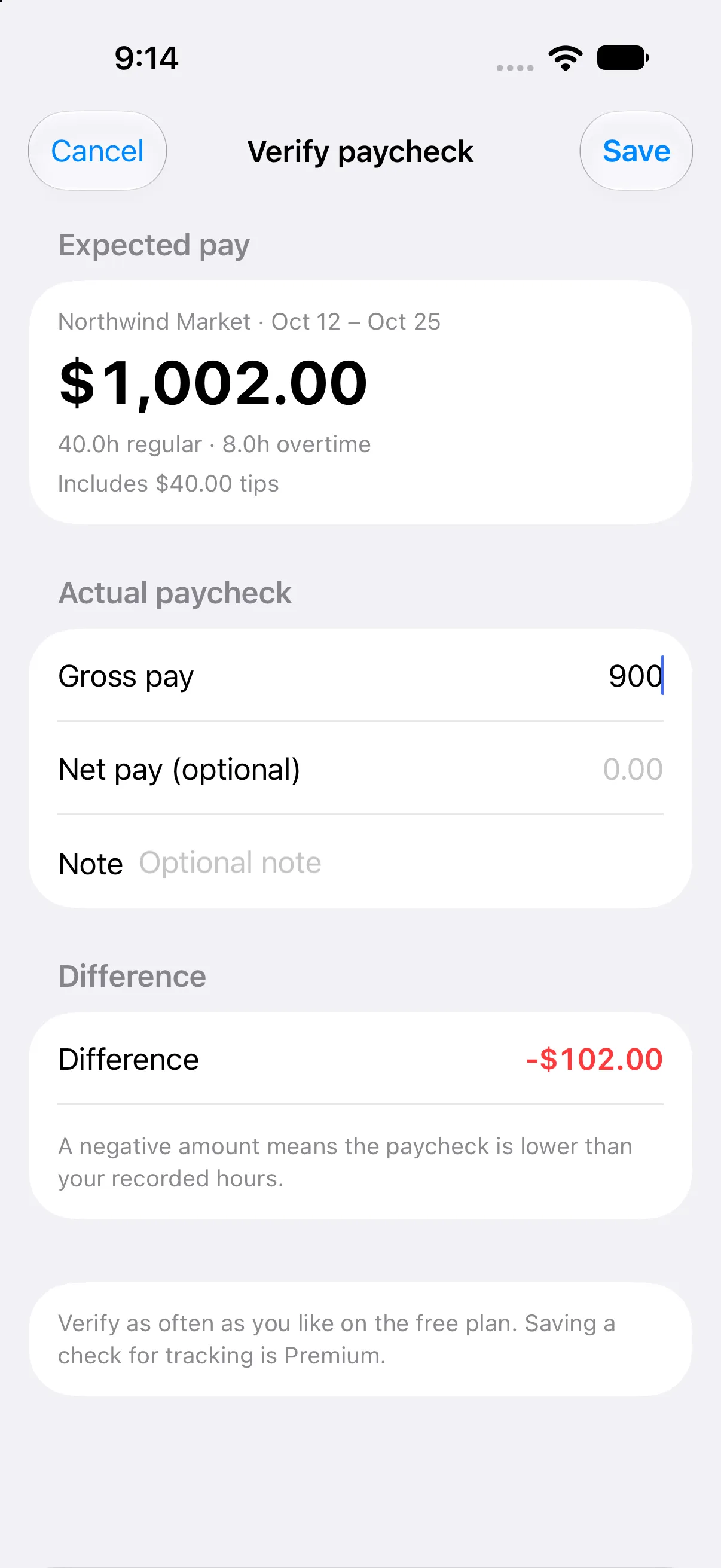
Pick your workweek, pay period, overtime rule, and next payday. Each employer keeps its own rules.
Check before payday
Compare expected gross pay with the stub. If the check is short, Paycheck Correct shows the difference instead of leaving you to guess.
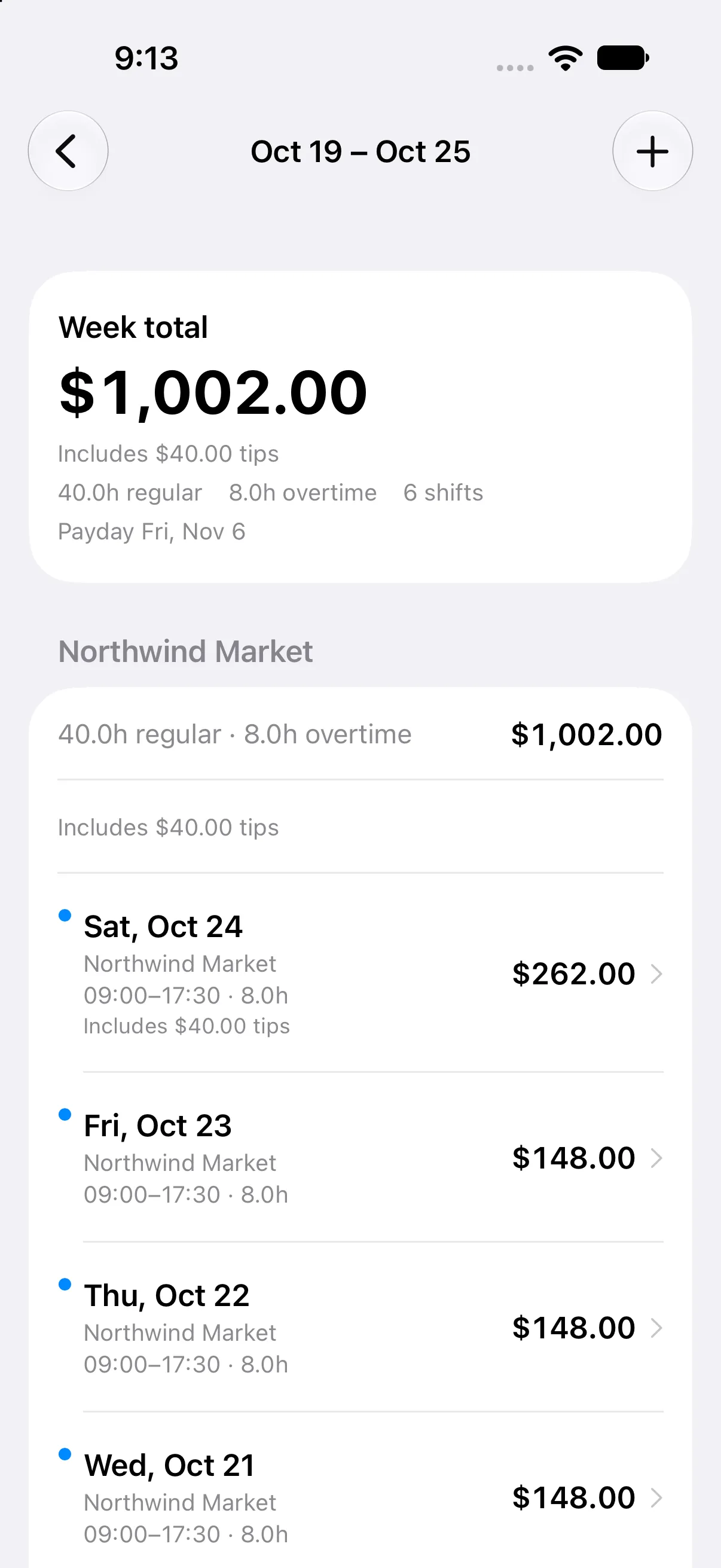
Your week, in one number.
See gross pay before taxes, regular and overtime hours, and what is still coming. Change a shift and the number updates.
- Regular vs. overtimeOvertime is separated, not folded into one hourly total.
- Tips and bonusesKeep them visible in the week detail and total, with the hours that produced them.
- Pay period viewWeekly, biweekly, semimonthly, or monthly — separate from the overtime workweek.
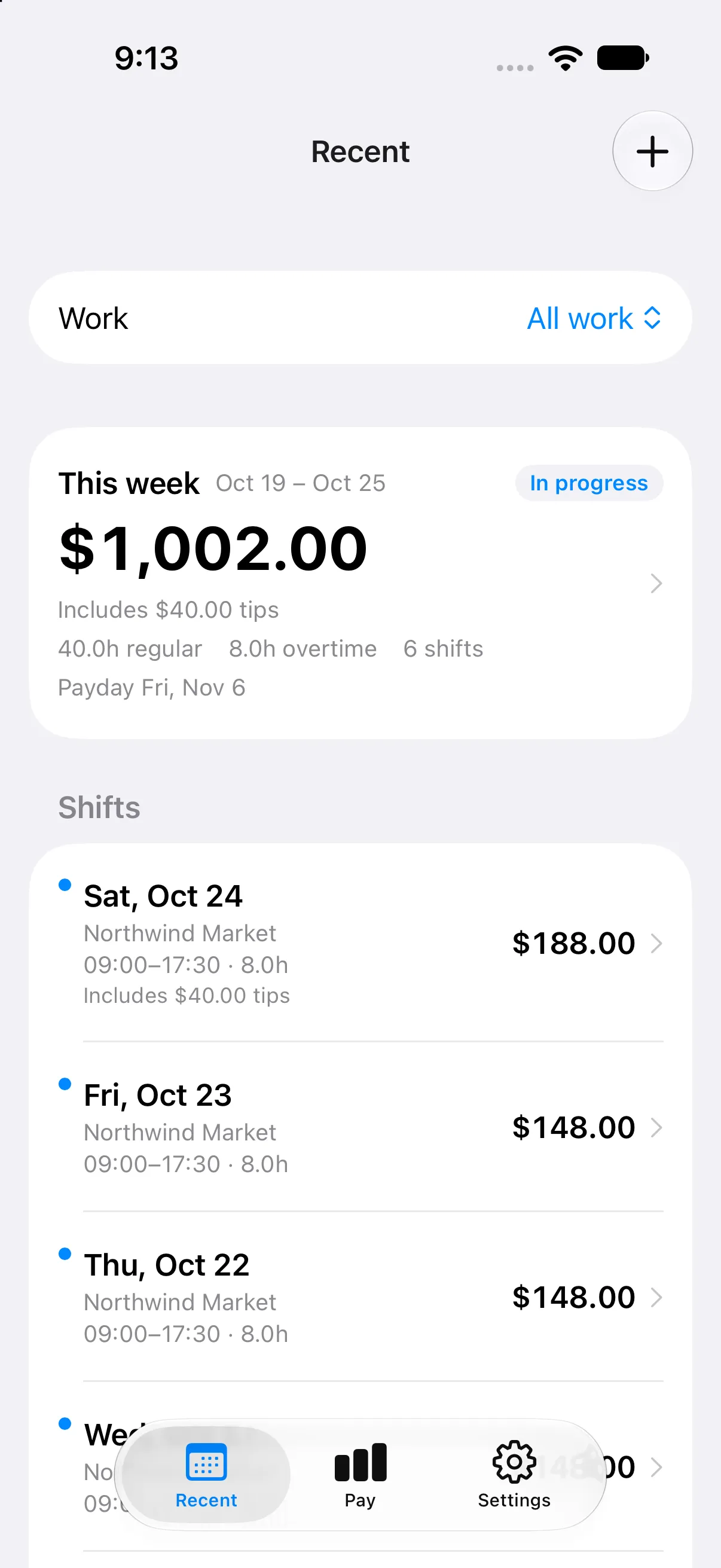
Every line has a reason.
Open the week and see each shift, its hours, rate, tips, and overtime split. The total is traceable, so you can check the math instead of trusting a black box.
- Federal 40-hour overtimeHours over 40 in the workweek, at your multiplier.
- California daily 8/12Daily overtime and double time, plus the seventh-day rule.
- Hospital 8/80Federal 8/80 for eligible hospital and residential-care schedules; California hospitals also apply daily and seventh-day rules.
Rules change by state and employer. Paycheck Correct currently supports federal and California rules — not every U.S. state. Compare the supported rules.
Supported overtime rules.
Each rule has a plain-English page: thresholds, an example, who it applies to, and the official source. Start with the rule that matches your pay stub.
The default for most U.S. hourly jobs
Federal 40-hour overtime
Read the ruleDaily overtime, weekly overtime, and the seventh day
California daily 8/12
Read the ruleFederal FLSA §7(j) for hospital and residential care
Hospital 8/80
Read the ruleFederal 8/80 plus California daily, weekly, and seventh-day rules
California hospital 8/80
Read the ruleA contract or union rule that differs from the legal presets
Custom weekly contract
Read the ruleTwo jobs. Two overtime rules.
Each employer keeps its own rate, workweek, overtime rule, and payday. Hours from one job never push the other into overtime.
- Separate employersNo merged 40-hour threshold between jobs.
- Separate workweeksMonday at one job, Sunday at another — the math follows each.
- Separate paydaysSee what is coming from each employer.
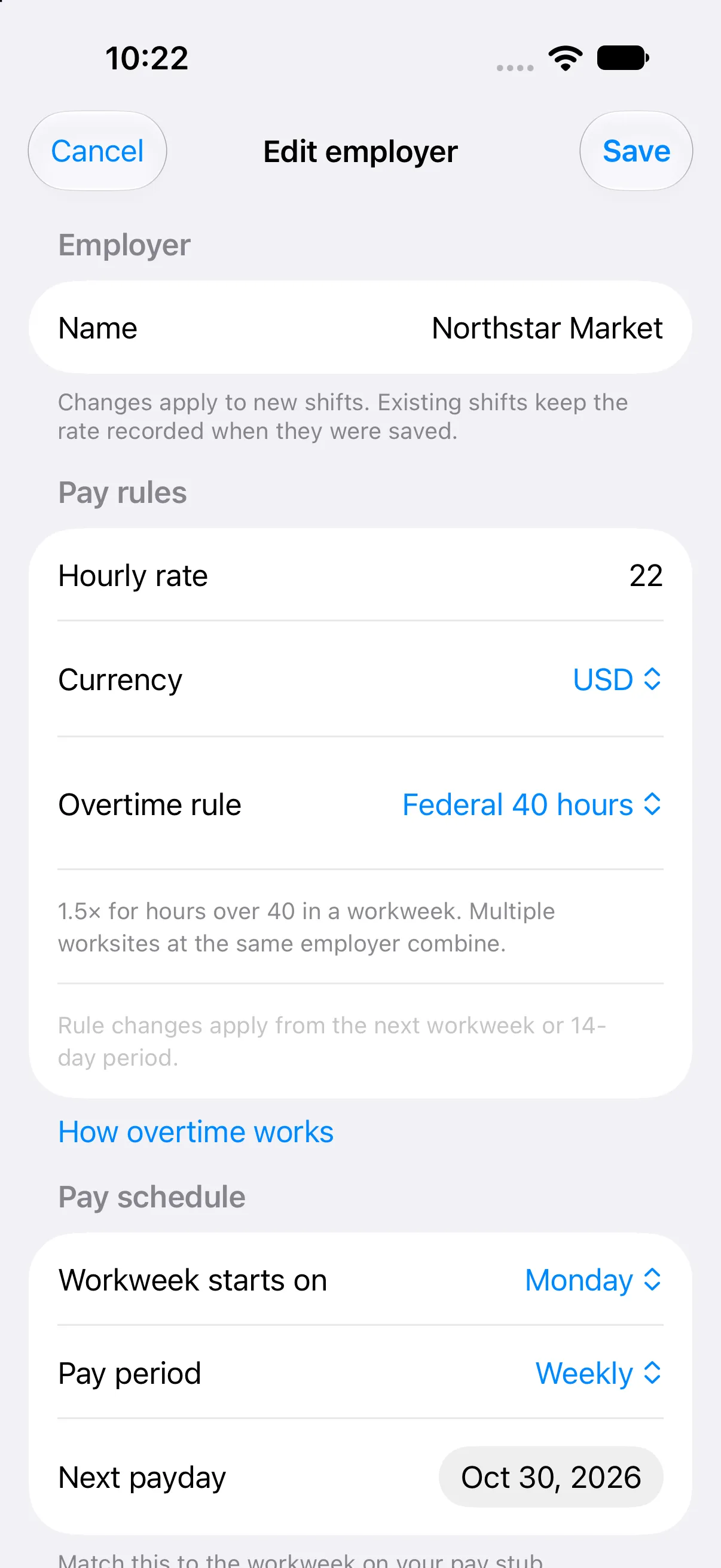
Catch a short paycheck.
Enter the gross pay on your stub. Paycheck Correct compares it with your recorded hours, so a short paycheck is visible before you cash it.
- Verify as often as you likePaycheck verification is free.
- Save checks with PremiumKeep a record of what was short, and by how much.
- Export a timesheetHours-only CSV is free for one employer; full amounts and history are Premium.
Your data, your backups.
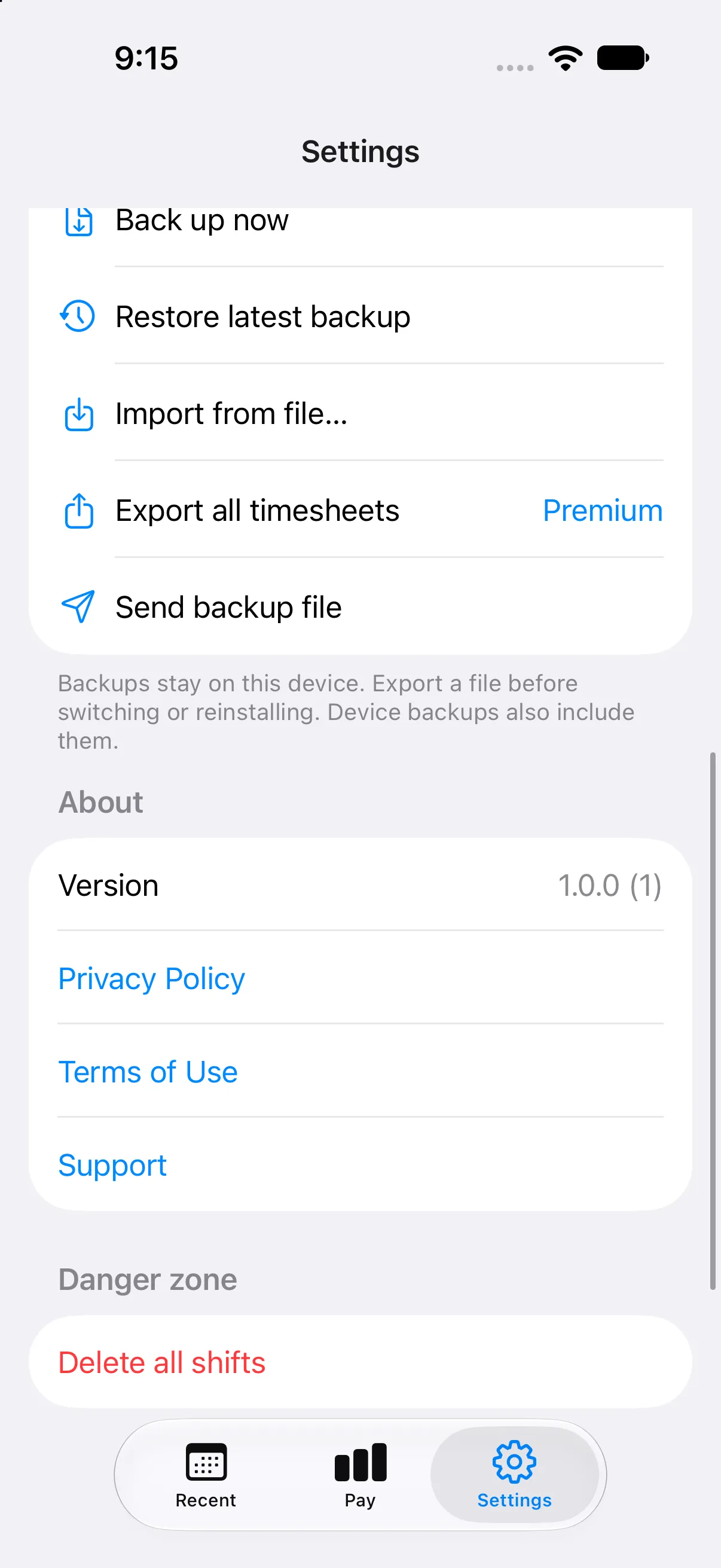
Paycheck Correct does not require an account. In v1, your employers, shifts, rates, and backups stay on your iPhone — there is no server-side copy of your pay data. Export a JSON backup or a CSV timesheet whenever you want. iCloud sync is planned for a future release, not part of v1.
- Local-firstSQLite on your iPhone, with automatic local snapshots.
- Backups you controlExport a JSON backup or a CSV timesheet whenever you want.
- iCloud sync, laterOn the roadmap. In v1, move devices with export and import; this policy will be updated when it ships.
Read the privacy policy for the full data picture.
Simple pricing.
Track shifts and verify a paycheck for free. Upgrade annually, or pay once for lifetime access to the same Premium features.
Free. For one job and the basics.
- One employer and one worksite
- Unlimited shifts, tips, and notes
- Federal 40h and California overtime rules
- Verify a paycheck as often as you like
- Hours-only CSV, local backup, and import
Annual. 7 days free trial, then $19.99 per year.
- Unlimited employers and worksites
- Rate overrides, bonuses, and saved checks
- Planned-shift reminders
- Full CSV with amounts, history, and worksite reports
- Same local-first data model — no account required
Lifetime. Pay once for Premium. No renewal, no trial, no subscription.
- Everything in Premium
- One-time purchase — no auto-renewal
- No trial period; pay once and keep access
- Same local-first data model — no account required
Prices shown are U.S. App Store prices. Subscriptions renew automatically unless canceled at least 24 hours before the end of the current period. Manage or cancel in your Apple Account settings. Annual and lifetime include the same Premium features; lifetime is a one-time purchase with no renewal and no trial.
Before you download.
The short answers. More detail is in Support.
Is Paycheck Correct free?
Yes. The free plan covers one employer, unlimited shifts, federal and California overtime rules, paycheck verification, hours-only CSV, and local backups. Premium adds more employers, saved checks, reminders, and full exports. It is available as an annual subscription or a one-time lifetime purchase.
Does it work without an account?
Yes. There is no sign-up and no required cloud account in v1. Your data stays in the app on your iPhone. Use the JSON backup and import to move to a new device. iCloud sync is planned for a future release.
Which overtime rules are supported?
Federal 40-hour overtime, California daily 8/12 and the seventh-day rule, hospital 8/80 (federal FLSA §7(j)) and California hospital 8/80. Other state rules are not supported in v1. Compare the supported rules. Paycheck Correct gives estimates, not legal, tax, or payroll advice.
Is it available outside the U.S.?
At launch, Paycheck Correct is available on the U.S. App Store and is designed for U.S. W-2 hourly workers. Other countries have different pay and overtime rules.
Can I cancel a subscription?
Yes. Subscriptions are managed by Apple. Open the App Store app → your account → Subscriptions, or use “Manage subscription” in Paycheck Correct. Refunds are handled by Apple.
No more paycheck surprises.
Track the week, check the math, and keep a record you can take to your employer.